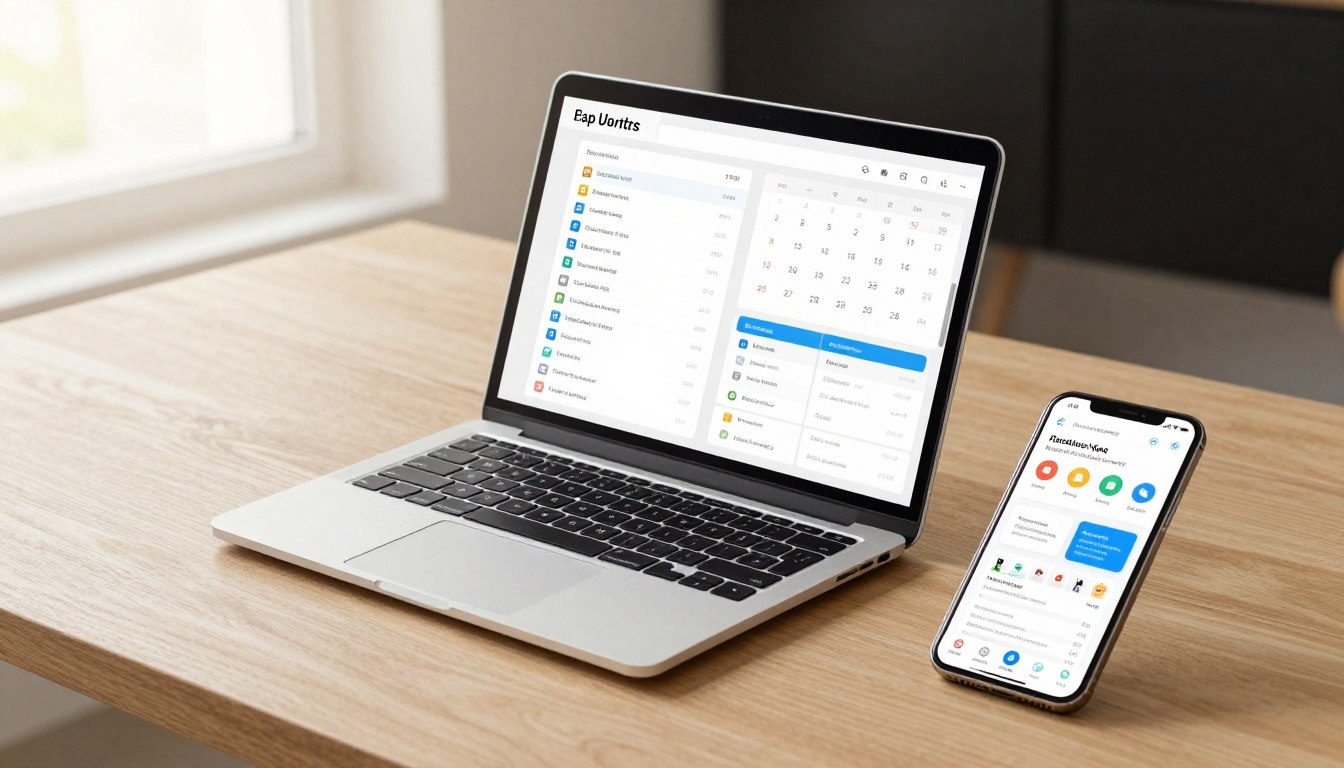
The year 2026 isn’t about finding more things to do. It’s about protecting what matters most: your focus.
In an era where AI assistants ping you every three minutes and your smartwatch thinks it knows your schedule better than you do, the real productivity challenge has shifted. It’s no longer “what should I work on?” but rather “how do I actually work without drowning in digital noise?”
Traditional to-do lists are dead. They can’t compete with the complexity of modern work.
What you need is a system. Not just any system, but one that thinks ahead, adapts to your energy levels, and actually helps you get things done instead of just organizing your guilt.
The best productivity apps in 2026 do exactly that. They combine AI scheduling, biometric integration, and smart automation to create a productivity environment that works with your brain, not against it.
This guide breaks down the five apps leading the productivity revolution. You’ll discover which tools match your work style, when to use AI-powered scheduling, and how to avoid the digital procrastination trap that kills more productivity than any distraction.
🎯 Download Your Free 2026 Productivity Apps Comparison PDF
Get our comprehensive side-by-side comparison of Motion, Todoist, Notion, TickTick, and ClickUp. Includes pricing breakdown, feature matrix, and decision framework to help you choose in under 5 minutes.
Quick Comparison: Top 5 Productivity Apps 2026
Before diving into detailed reviews, here’s how the top productivity apps stack up against each other. This comparison table helps you quickly identify which tool aligns with your needs.
Each app excels in different areas. Some prioritize AI automation while others focus on customization or simplicity.
| App Name | Core Feature | Target Audience | 2026 Pricing (Starting) |
| Motion | AI-powered automatic scheduling | Busy professionals, executives | $34/month |
| Todoist | Smart task organization with natural language | Individuals, small teams | $5/month |
| Notion | All-in-one workspace with AI writing | Knowledge workers, content creators | $10/month |
| TickTick | Pomodoro timer with habit tracking | Students, freelancers | $2.99/month |
| ClickUp | Customizable project management platform | Remote teams, agencies | Free (paid from $7/user/month) |
The pricing landscape in 2026 shows clear tiers. Budget-conscious users gravitate toward TickTick and ClickUp’s free plan, while professionals willing to pay for time savings choose Motion’s premium AI features.
Each tool serves different productivity philosophies. Understanding these differences determines whether you’ll actually use the app or abandon it within a week.

🧭 Not Sure Which Productivity App Fits Your Work Style?
Take our 60-second productivity quiz to get a personalized app recommendation based on your work habits, team size, budget, and productivity goals. Over 25,000 professionals have found their perfect match.
Motion: AI-Powered Automatic Scheduling

Motion represents the pinnacle of AI-driven task management in 2026. Instead of manually organizing your day, Motion’s AI engine builds your schedule automatically based on deadlines, priorities, and your personal work patterns.
The app watches how long tasks actually take you, learns your productive hours, and rearranges your calendar in real-time when meetings pop up or tasks run long. It’s like having a personal assistant who never sleeps.
Motion doesn’t just list tasks. It answers the critical question: “What should I work on right now?” The AI considers your energy levels, upcoming deadlines, and meeting schedule to serve up the single best task for this moment.
Killer Features for 2026
- Intelligent Auto-Scheduling: AI automatically blocks calendar time for every task based on priority and deadline, eliminating manual planning
- Dynamic Re-Scheduling: When interruptions occur, Motion instantly reorganizes your entire day to ensure critical work still gets done
- Productivity Insights: Deep analytics show your actual productive hours, task completion patterns, and optimal work times based on performance data
Who Is Motion Best For?
Motion shines for executives, managers, and knowledge workers juggling 30+ tasks simultaneously with packed meeting schedules. If you’re constantly asking “when will I find time for this?” Motion solves that problem.
It’s also ideal for professionals who struggle with decision fatigue. When you have too many options, Motion removes the cognitive load of choosing what to work on next.
However, Motion is overkill for simpler workflows. Students with a handful of assignments or freelancers with 2-3 client projects don’t need this level of automation.
Motion Pros and Cons
🟢 Pros
- Eliminates manual schedule planning entirely
- AI learns your work patterns over time
- Seamless calendar integration across platforms
- Prevents overbooking and unrealistic commitments
- Reduces decision fatigue significantly
🔴 Cons
- Premium pricing at $34/month makes it the most expensive option
- Steep learning curve during first two weeks
- Requires consistent task input to maximize AI benefits
- Limited customization compared to tools like ClickUp
- Mobile app lacks some desktop features
💡 Pro Tip: Give Motion at least three weeks to learn your patterns before judging its effectiveness. The AI needs data to understand your optimal work rhythms. Start by tracking task duration honestly—Motion’s predictions get scary-accurate once it knows how long your specific work actually takes.
Ready to Let AI Manage Your Schedule?
Motion offers a 7-day free trial with full access to AI scheduling features. No credit card required. See if automatic task management saves you 2+ hours per week.
Todoist: Smart Task Organization with Natural Language

Todoist has dominated the task management space for over a decade, and its 2026 iteration proves why. The app perfects the fundamentals while adding intelligent features that enhance rather than complicate the experience.
What sets Todoist apart is its natural language processing. Type “Call Sarah tomorrow at 3pm #work” and Todoist automatically creates a task, sets the due date and time, and files it under your work project. It’s task creation that keeps up with your brain.
The app maintains an elegant simplicity that more complex productivity tools sacrifice. You can master Todoist in an afternoon, yet its depth supports sophisticated GTD workflows for power users.
Killer Features for 2026
- Natural Language Input: Create fully detailed tasks by typing normally—no forms, no clicking through menus, just natural commands the AI understands
- Smart Scheduling Suggestions: AI analyzes your task patterns and suggests optimal due dates based on your historical completion behavior
- Karma Productivity Scoring: Gamified system tracks streaks and completion rates, providing motivation through achievement mechanics that actually work
Who Is Todoist Best For?
Todoist excels for individuals and small teams who want powerful organization without overwhelming complexity. It’s perfect for freelancers managing client work, students balancing coursework, and professionals coordinating personal and work tasks in one place.
The app particularly suits people who think in lists and priorities. If you’re the type who writes things down to get them out of your head, Todoist becomes your external brain.
It’s less ideal for visual thinkers who need board views or teams requiring extensive collaboration features. Todoist focuses on individual task excellence rather than project management breadth.
Todoist Pros and Cons
🟢 Pros
- Fastest task entry of any productivity app
- Works offline with perfect sync when reconnected
- Integrates with 100+ tools including email and calendar
- Incredibly stable with zero downtime in typical user experience
- Affordable at $5/month for premium features
🔴 Cons
- No built-in time tracking functionality
- Collaboration features feel basic compared to project management tools
- No native document storage or note-taking
- Template system requires manual creation
- Reporting limited to basic productivity metrics
💡 Pro Tip: Use Todoist’s priority levels strategically—not everything is P1. Reserve Priority 1 for genuine “must complete today” items (maximum 3 per day), use Priority 2 for “should complete this week,” and leave Priority 3 for everything else. This prevents priority inflation that makes the system meaningless.
Experience The Simplicity of Smart Task Management
Todoist offers a generous free plan forever, with premium features available for just $5/month. Try the natural language input and see why 25 million users trust Todoist with their tasks.
Notion: All-in-One Workspace with AI Writing

Notion transformed from a note-taking app into a complete productivity operating system. In 2026, it serves as the central hub where tasks, notes, projects, wikis, and databases coexist in one flexible workspace.
The platform’s 2026 AI capabilities represent a quantum leap forward. Notion AI doesn’t just organize information—it generates content, summarizes meetings, extracts action items from notes, and even drafts project briefs based on your database content.
What makes Notion unique is its “build your own” philosophy. Instead of forcing you into predetermined structures, Notion provides building blocks. You construct exactly the productivity system your brain needs.
Killer Features for 2026
- AI-Powered Content Generation: Built-in AI writes drafts, summarizes long documents, extracts key takeaways, and generates ideas directly within your workspace
- Connected Databases: Link related information across notes, tasks, and projects so updating one place automatically updates everywhere else
- Customizable Templates: Extensive template library covers everything from meeting notes to product roadmaps, all fully customizable to your workflow
Who Is Notion Best For?
Notion shines for knowledge workers, content creators, and teams building a “second brain” of institutional knowledge. It’s ideal for people who connect ideas across projects and need a system that mirrors how they actually think.
Startups and creative agencies particularly benefit from Notion’s flexibility. You can create client portals, design wikis, project trackers, and content calendars all in one place without switching tools.
However, Notion overwhelms users who just need simple task lists. The infinite possibilities create decision paralysis. If you want to open an app, add a task, and close it, Notion’s depth becomes a weakness.
Notion Pros and Cons
🟢 Pros
- Replaces multiple tools—notes, tasks, wikis, databases in one place
- AI assistant dramatically speeds up content creation
- Unlimited customization to match any workflow
- Beautiful, intuitive interface that makes organization enjoyable
- Powerful collaboration features for team knowledge sharing
🔴 Cons
- Steep learning curve requires time investment upfront
- Can become overwhelming with too many customization options
- Offline mode still lags behind competitors
- Performance slows with very large databases
- AI features cost extra beyond basic subscription
💡 Pro Tip: Resist the urge to over-engineer your Notion setup. Start with three simple pages: Daily Tasks, Project Tracker, and Quick Notes. Use these for two weeks before adding complexity. Most Notion abandonments happen because users spend more time building systems than using them.
Build Your Personalized Productivity System
Notion offers a free plan for individuals with unlimited pages and blocks. Upgrade to unlock AI features, advanced permissions, and unlimited file uploads. Start building your second brain today.
TickTick: Pomodoro Timer with Habit Tracking

TickTick delivers comprehensive productivity features at a fraction of competitor pricing. This app proves you don’t need to spend $30+ per month to access powerful task management and time tracking tools.
The built-in Pomodoro timer sets TickTick apart. Instead of switching between a task app and a separate timer, everything lives in one place. Start a task, activate the timer, and TickTick tracks both completion and focused work time.
Habit tracking integration makes TickTick particularly powerful for people building new routines. The app doesn’t just manage what you need to do today—it helps you become the person who does those things automatically.
Killer Features for 2026
- Integrated Pomodoro Timer: Built-in focus timer works directly with your tasks, tracking how many Pomodoros each project actually requires
- Advanced Habit Builder: Create recurring habits with flexible schedules, streak tracking, and statistical analysis of completion patterns over time
- Eisenhower Matrix View: Automatically organize tasks by urgency and importance into a four-quadrant view that clarifies priorities instantly
Who Is TickTick Best For?
TickTick perfectly suits students, freelancers, and individuals focused on personal productivity rather than team collaboration. The price point makes it accessible for people unwilling or unable to spend premium prices on productivity software.
It’s ideal for users combining task management with habit formation. If you’re trying to build a morning routine, exercise consistently, or develop any new behavior pattern, TickTick’s tracking keeps you accountable.
The app works less well for teams needing extensive collaboration features or visual project management. TickTick optimizes for individual excellence, not group coordination.
TickTick Pros and Cons
🟢 Pros
- Exceptional value at $2.99/month with nearly all premium features
- Pomodoro timer eliminates need for separate focus tools
- Habit tracking rivals dedicated habit apps
- Calendar view displays tasks and habits together
- Multiple reminder options including location-based triggers
🔴 Cons
- Interface feels cluttered compared to minimalist competitors
- Collaboration features basic and limited
- No AI assistance or smart scheduling
- Mobile app occasionally lags during sync
- Learning curve steeper than its simplicity suggests
💡 Pro Tip: Use TickTick’s Eisenhower Matrix view every Monday morning. Drag all your week’s tasks into the appropriate quadrant (Urgent/Important, Important/Not Urgent, etc.). This 5-minute review prevents you from spending all week on tasks that feel urgent but don’t actually move your goals forward.
Get Premium Features Without Premium Pricing
TickTick offers a robust free plan with core task management features. Upgrade to Premium for just $2.99/month to unlock Pomodoro timer, habit tracking, and calendar integration. Try it risk-free.
ClickUp: Customizable Project Management Platform

ClickUp positions itself as “the one app to replace them all,” and it nearly delivers on that ambitious promise. This platform combines task management, project tracking, documentation, goals, time tracking, and team collaboration into a single ecosystem.
The customization capabilities in ClickUp exceed every competitor. You can configure views, custom fields, automations, and workflows to match exactly how your team operates. No other productivity app offers this level of flexibility.
ClickUp’s free plan remains genuinely usable even for small teams, making it the most accessible full-featured project management solution in 2026. The company clearly bets on users upgrading as teams grow rather than forcing payment from day one.
Killer Features for 2026
- Multiple Project Views: Switch between list, board, calendar, Gantt, timeline, and workload views of the same data—each team member sees tasks their preferred way
- No-Code Automation: Build complex workflow automations without coding—trigger actions based on task status changes, assignments, due dates, or custom field updates
- Universal Search: AI-powered search finds any task, document, message, or file across your entire workspace in seconds, replacing the need to remember where you saved things
Who Is ClickUp Best For?
ClickUp excels for remote teams, digital agencies, and departments managing multiple concurrent projects with diverse workflows. It’s ideal when different team members need different views of the same information.
The platform particularly suits organizations transitioning from multiple tools. ClickUp can genuinely replace your task manager, project tracker, wiki, time tracker, and goal system, consolidating software spend.
However, ClickUp overwhelms individuals and small teams who don’t need enterprise-level features. The learning curve is real, and simpler tools deliver faster results when managing personal productivity.
ClickUp Pros and Cons
🟢 Pros
- Free plan genuinely useful for small teams indefinitely
- Extreme customization adapts to any workflow imaginable
- Comprehensive feature set eliminates need for multiple tools
- Active development with new features released monthly
- Powerful automation saves hours of manual work weekly
🔴 Cons
- Overwhelming interface with too many options initially
- Significant learning curve requires time investment
- Performance can lag with complex setups
- Mobile app lacks desktop feature parity
- Easy to over-engineer workflows and create unnecessary complexity
💡 Pro Tip: Start with ClickUp’s pre-built templates instead of building from scratch. Choose a template close to your use case, use it for two weeks without modification, then customize based on what actually annoys you. This prevents the common mistake of spending a week building the “perfect” system before doing any actual work.
Replace Your Entire Productivity Stack
ClickUp’s free plan includes unlimited tasks and members with 100MB storage. Paid plans start at $7/user/month for unlimited storage, integrations, and advanced features. See if one app can truly replace them all.
Major Productivity Trends Shaping 2026

The productivity landscape in 2026 looks fundamentally different than even two years ago. Three major trends drive this transformation, each changing how we approach work and task management.
These aren’t minor feature updates. They represent paradigm shifts in how productivity apps understand and respond to human work patterns.
Predictive Productivity: AI That Thinks Ahead
Predictive productivity moves beyond reactive task management. Instead of waiting for you to input a deadline, AI analyzes patterns to predict when tasks will actually get done based on your historical behavior.
Motion and ClickUp lead this trend. Their algorithms learn that you consistently underestimate how long client reports take or that Thursday afternoons are your most productive time for creative work.
The system then builds schedules and makes suggestions aligned with reality rather than optimistic planning. It’s like having a productivity coach who knows you better than you know yourself.
This technology matters because most people are terrible at time estimation. Studies show we underestimate task duration by 40% on average. AI corrects for this systematic bias.
Biometric Integration: Your Body Becomes Data
Productivity apps in 2026 sync with smartwatches, fitness trackers, and health platforms to incorporate biometric data into scheduling decisions. TickTick and Motion both offer early implementations.
The apps track your heart rate variability, sleep quality, and activity levels. When your smartwatch detects poor sleep, the app automatically reschedules demanding cognitive work and suggests routine tasks instead.
Similarly, if your stress levels spike during certain meeting types, the AI learns to buffer recovery time after those sessions. It recognizes that productivity isn’t just about time—it’s about energy management.
Privacy concerns remain valid, but opt-in users report 15-25% productivity gains simply from better task-energy matching. Your calendar starts respecting your biology.

No-Code Automation: Power Without Programming
The democratization of automation represents the third major trend. Tools like ClickUp and Notion now offer sophisticated automation builders requiring zero coding knowledge.
You create workflows through visual interfaces: “When task status changes to Complete, send Slack notification to team channel and create follow-up task for next week.” These automations used to require developer intervention.
The impact extends beyond individual productivity. Small teams gain capabilities previously available only to enterprises with IT departments. A freelancer can build client onboarding workflows as sophisticated as Fortune 500 companies.
Common automation examples in 2026 include automatic task creation from email keywords, project status updates when all subtasks complete, and recurring task generation based on completion patterns.
This trend matters because manual repetitive work kills productivity. Every minute spent copying information between tools or sending standard update messages is waste that automation eliminates.
How to Choose the Right Productivity App for Your Lifestyle
The best productivity app isn’t the one with the most features. It’s the one that aligns with how your brain actually works and the productivity methodology you naturally gravitate toward.
Understanding established productivity frameworks helps match tools to thinking styles. Here’s how each app maps to popular productivity methods.

Motion + The Eisenhower Matrix: Urgent vs. Important
The Eisenhower Matrix categorizes tasks into four quadrants based on urgency and importance. Motion’s AI naturally implements this framework through its scheduling algorithm.
When you input task priorities and deadlines, Motion automatically distinguishes between genuinely urgent work and tasks that feel pressing but aren’t truly important. The AI schedules Important/Not Urgent work before it becomes a crisis.
This pairing works perfectly for executives and managers drowning in competing priorities. Motion forces clarity about what actually matters versus what merely demands attention.
Todoist + GTD (Getting Things Done): Capture and Organize
David Allen’s Getting Things Done methodology emphasizes capturing everything, clarifying next actions, and organizing by context. Todoist’s structure mirrors GTD principles almost perfectly.
The natural language input serves as the GTD “capture” tool. Projects and labels become GTD contexts and areas of focus. Filters create custom views for different situations (at computer, calls to make, errands).
This combination suits knowledge workers who feel overwhelmed by inputs from multiple channels. GTD provides the methodology, Todoist provides the implementation infrastructure.
TickTick + Pomodoro Technique: Time-Boxed Focus
The Pomodoro Technique breaks work into 25-minute focused intervals separated by short breaks. TickTick’s integrated timer makes this methodology effortless to implement.
You select a task, start a Pomodoro session, and work with single-minded focus until the timer completes. TickTick tracks how many Pomodoros each task type typically requires, helping with future estimation.
This pairing excels for students, writers, and anyone doing deep work requiring sustained concentration. The forced breaks prevent burnout while the time constraint creates productive urgency.
Notion + Building a Second Brain: Connected Knowledge
Tiago Forte’s Building a Second Brain methodology focuses on capturing, organizing, and connecting information to support creative output. Notion’s database and linking capabilities perfectly enable this approach.
You create interconnected notes, link related ideas across projects, and build a personal knowledge base that grows more valuable over time. The AI helps surface relevant past notes when working on new projects.
This combination suits content creators, researchers, and knowledge workers who synthesize information rather than just execute tasks. Your productivity compounds as your second brain grows.
ClickUp + Custom Hybrid Approaches: Build Your Own System
Some workflows don’t fit established methodologies. ClickUp’s flexibility enables custom hybrid approaches combining elements from multiple frameworks.
You might use GTD for personal tasks, Kanban boards for team projects, and goal hierarchies for long-term planning—all within the same workspace. The platform adapts to your methodology rather than forcing you into predetermined structures.
This approach works for teams with diverse work styles or individuals who’ve tried multiple methods and want to cherry-pick what works best from each.
The Digital Procrastination Trap: When Apps Become Distractions

Here’s the uncomfortable truth about productivity apps: they can become the ultimate procrastination tool disguised as work.
This phenomenon has a name in productivity circles: “fake productivity.” You spend hours perfecting your Notion workspace, configuring ClickUp automations, or reorganizing Todoist projects—but never actually complete a single task.
The customization options in modern productivity tools create an addictive loop. Each tweak promises the “perfect system” that will finally unlock your productivity. But perfection is the enemy of done.
Warning Signs of Digital Procrastination
You’re procrastinating with your productivity app if you:
- Spend more time organizing tasks than completing them
- Constantly switch between productivity apps searching for the “right” one
- Create elaborate systems with categories, tags, and filters you never actually use
- Watch tutorial videos about productivity apps instead of working
- Reorganize completed tasks or past projects that don’t impact current work
- Focus on aesthetic customization (themes, icons, fonts) rather than functionality
These behaviors feel productive. Your brain releases dopamine from the novelty and sense of progress. But you’re essentially rearranging your desk instead of doing the work sitting on it.
The Goldilocks Zone: Just Enough System
The solution isn’t abandoning productivity apps. It’s finding the Goldilocks zone—just enough system to support your work without becoming the work itself.
Follow this principle: your productivity system should require less than 10 minutes of daily maintenance. If you spend more time managing the system than using it, you’ve crossed into digital procrastination territory.
Start minimal. Add complexity only when you feel genuine friction in your current setup. Resist the urge to implement every feature or build elaborate structures “just in case” you need them later.
⚠️ The Golden Rule of Productivity Apps
If you spend more than 30 minutes setting up your productivity system in any given week, you’re procrastinating. The best system is the simplest one that actually works, not the most elaborate one that looks impressive.
Practical Guardrails Against Digital Procrastination
Implement these rules to keep your productivity app helpful rather than harmful:
- The 5-Minute Setup Rule: Give yourself 5 minutes each morning to plan your day, then close the app and start working
- No Mid-Day Reorganizing: Resist the urge to restructure your system during work hours—schedule system reviews for Friday afternoons only
- Track Setup vs. Completion Time: Monitor how much time you spend configuring versus completing tasks; if setup exceeds 10%, you have a problem
- Commit to One System for 30 Days: Stop switching apps; master what you have before deciding it doesn’t work
- Delete Unused Features: If you haven’t used a custom view, automation, or category in 2 weeks, delete it
Remember that professional productivity consultants use remarkably simple systems. They know the secret: execution beats optimization every single time.
Motion vs Todoist vs Notion: Which One Wins?
The three most popular productivity apps in 2026—Motion, Todoist, and Notion—serve fundamentally different needs despite some feature overlap. Understanding these distinctions prevents choosing the wrong tool.
This comparison focuses on real-world usage rather than spec sheets. The question isn’t “which has more features?” but “which solves your specific problem best?”

When Motion Wins: AI Scheduling for Busy Professionals
Motion dominates when calendar integration and automatic scheduling matter most. If your typical day includes 4+ meetings with tasks squeezed between, Motion’s AI becomes essential.
The app excels at answering “when will I actually have time for this?” Unlike competitors requiring manual calendar blocking, Motion makes those decisions automatically based on task priority and deadline urgency.
Choose Motion if you’re constantly rescheduling tasks because meetings overrun or priorities shift. The AI adapts in real-time without requiring your attention.
However, Motion’s $34/month price tag only makes sense if the time savings justify the cost. Calculate whether recovering 2-3 hours per week through automatic scheduling returns more than $34 in value to your work.
When Todoist Wins: Simple Excellence for Individual Productivity
Todoist wins on speed and simplicity. When you need to capture a thought, create a task, or check what’s due today, no competitor matches Todoist’s efficiency.
The natural language processing means you can add detailed tasks in 5 seconds without clicking through forms or opening multiple windows. This speed advantage compounds over hundreds of task entries.
Choose Todoist if you work primarily alone, think in lists rather than boards, and value a tool that disappears into the background rather than demanding attention.
The $5/month premium tier offers exceptional value, especially compared to Motion’s premium pricing. For individuals rather than teams, Todoist delivers 80% of the productivity benefit at 15% of the cost.
When Notion Wins: Building Connected Knowledge Systems
Notion wins when your work involves connecting ideas across projects, building knowledge bases, or creating custom workflows that don’t fit standard productivity app templates.
The platform’s databases and AI writing assistant make it ideal for content creators, researchers, and teams building institutional knowledge. You create a system that grows smarter over time as connections multiply.
Choose Notion if tasks represent only one aspect of your productivity needs. When you also require note-taking, documentation, wikis, and project planning in one unified place, Notion’s all-in-one approach eliminates tool-switching friction.
However, expect a learning curve. Notion rewards time investment with extraordinary flexibility, but users seeking instant productivity gains get frustrated during the initial setup phase.
The Verdict: Context Determines the Winner
There’s no universal “best” option among these three titans. Your ideal choice depends on work context:
- Busy executives with packed calendars: Motion’s AI scheduling justifies the premium price
- Individuals managing personal productivity: Todoist’s simplicity and affordability win
- Knowledge workers building systems: Notion’s flexibility and AI writing support complex workflows
- Teams needing collaboration: Notion or ClickUp depending on project complexity
- Budget-conscious users: Todoist or TickTick deliver premium features at accessible prices
The most productive people don’t necessarily use the most powerful tool. They use the tool that matches their workflow with minimal friction.
ClickUp Review 2026: Has It Become Too Complex?
ClickUp faces a reputation challenge in 2026. While it offers more features than any competitor, users increasingly ask whether all that power creates unnecessary complexity.
The platform’s tagline “one app to replace them all” attracts teams tired of tool sprawl. But delivering on that promise requires mastering a tool that rivals enterprise software in sophistication.

What ClickUp Gets Right in 2026
ClickUp’s strengths remain undeniable. The platform genuinely consolidates tools that previously required separate subscriptions: task management, time tracking, documents, goals, whiteboards, and chat.
For teams, this consolidation saves both money and context-switching time. Instead of jumping between Asana, Google Docs, Slack, and Toggl, everything lives in ClickUp. The universal search finds information regardless of where it lives.
The automation capabilities rival enterprise platforms. Marketing agencies build client onboarding workflows, development teams automate sprint planning, and operations teams create approval processes—all without writing code.
ClickUp’s free plan remains genuinely usable, not a trial disguised as freemium. Small teams can operate on the free tier indefinitely, which democratizes access to professional project management software.
Where ClickUp Struggles: The Complexity Curse
ClickUp’s weakness stems from its strength. The infinite customization options overwhelm new users. The interface presents so many buttons, views, and options that discovering basic functionality requires dedicated learning time.
Teams report spending 2-3 weeks getting “ClickUp confident”—longer than any competitor. During this learning period, productivity often decreases as people navigate the system rather than complete work.
The mobile experience particularly suffers from feature overload. What works on a large desktop monitor becomes cluttered and confusing on a smartphone screen. Many users resort to using ClickUp only on computers.
Performance issues emerge with complex workspaces. Teams with thousands of tasks across dozens of projects experience noticeable lag when loading views or searching content.
Is ClickUp Right for You in 2026?
ClickUp makes sense for specific scenarios:
When ClickUp Excels
- Remote teams managing 5+ concurrent projects
- Agencies tracking client work with different workflows
- Departments consolidating 3+ separate tools
- Teams willing to invest in training and setup
- Organizations requiring advanced automation
When to Choose Alternatives
- Individual users managing personal tasks
- Small teams wanting immediate productivity
- Organizations prioritizing simplicity
- Teams primarily using mobile devices
- Users uncomfortable with complexity
The platform’s 2026 trajectory focuses on AI assistance to simplify complexity. ClickUp Brain (their AI assistant) helps users discover features, suggests relevant views, and automates routine configuration tasks.
Early implementations show promise. Instead of manually building dashboards, users describe what they need and AI generates the configuration. This could address ClickUp’s primary weakness while preserving its power.
ClickUp vs. Simpler Alternatives
When comparing ClickUp to simpler tools like Todoist or TickTick, the choice boils down to team complexity:
- Solo users or couples: ClickUp is overkill; choose Todoist or TickTick
- Small teams (3-5 people): Consider simpler project management tools first
- Growing teams (6-15 people): ClickUp’s scalability justifies the learning curve
- Larger organizations (16+ people): ClickUp’s consolidation saves significant software costs
The verdict: ClickUp remains the most powerful productivity platform in 2026, but power comes with complexity. Invest the learning time if you need the capabilities; choose simpler tools if you don’t.
AI Scheduling Apps: The Future of Time Management
AI scheduling represents the most significant productivity innovation of the past five years. Instead of manually arranging your day, artificial intelligence builds your schedule based on priorities, deadlines, and learned work patterns.
This technology addresses a fundamental human weakness: we’re terrible at time management. Studies consistently show people underestimate task duration, overcommit their schedules, and fail to account for interruptions.

How AI Scheduling Actually Works
AI scheduling apps like Motion and ClickUp’s AI assistant analyze multiple data points simultaneously:
- Historical task duration: How long similar tasks have actually taken you in the past
- Energy patterns: When you typically complete different task types most efficiently
- Calendar constraints: Meetings, deadlines, and blocked time that limits availability
- Priority levels: Which tasks matter most and must be completed first
- Work preferences: Your tendency to batch similar tasks or alternate task types
The AI combines these factors to determine the optimal time for each task. When you add a new task, it doesn’t go into a list—it goes directly onto your calendar at the most productive time slot available.
The system adapts in real-time. When a meeting runs over or a task takes longer than expected, the AI automatically reshuffles remaining tasks to maintain deadline adherence. You see the reorganized schedule without lifting a finger.
Real-World Impact: Time Savings and Stress Reduction
Early adopters report compelling results from AI scheduling:
- 2-3 hours per week saved on manual planning and scheduling
- 40% reduction in missed deadlines due to better time allocation
- Lower stress from decision fatigue—AI decides what to work on now
- Improved work-life balance through realistic schedule capacity
- Better energy management by matching task types to productive hours
The psychological benefit matters as much as time savings. When your calendar tells you exactly what to work on and guarantees you’ll hit deadlines, the mental burden of planning disappears.
Limitations and Learning Curves
AI scheduling isn’t magic, and it comes with real limitations:
Data Requirements: The AI needs 2-3 weeks of your actual work data to make accurate predictions. Initial recommendations often miss the mark because the system doesn’t yet understand your patterns.
Input Quality: Garbage in, garbage out. If you don’t accurately estimate task priorities or fail to block personal time, the AI optimizes for the wrong goals.
Flexibility Trade-offs: Letting AI control your schedule means surrendering some spontaneity. You can’t just “see what you feel like doing” because the calendar has already decided.
Cost Considerations: The best AI scheduling apps charge premium prices. Motion costs $34/month because the AI infrastructure is expensive to run. Free alternatives exist but offer less sophisticated scheduling.
Who Benefits Most from AI Scheduling?
AI scheduling delivers maximum value for specific user types:
- Executives managing 20+ tasks with frequent meetings
- Knowledge workers juggling multiple project deadlines
- Anyone who consistently underestimates time requirements
- Professionals struggling with decision fatigue
- People whose schedules change frequently
Ideal Candidates
- Students with light, predictable schedules
- Workers with fixed routines and few surprises
- People who enjoy manual planning rituals
- Users unwilling to invest learning time
- Budget-conscious individuals
Poor Fit
The Future: Biometric Integration and Predictive Analytics
AI scheduling in 2027 and beyond will incorporate even more data sources:
Health Integration: Your smartwatch reports poor sleep quality, so the AI reschedules demanding cognitive work for later in the week and suggests routine tasks for today.
Predictive Delays: AI recognizes that similar projects historically ran 20% over estimates, so it builds buffer time automatically rather than creating unrealistic schedules.
Collaborative Scheduling: Team AI systems coordinate schedules across multiple people, finding optimal meeting times and distributing work based on individual capacity and expertise.
These advances transform time management from reactive planning to proactive orchestration. The calendar becomes less about recording what you plan to do and more about intelligently directing your energy toward maximum impact.
Task Management Software: Features That Actually Matter
Task management software has exploded with features over the past decade. Modern apps offer everything from AI assistants to biometric integration to no-code automation builders.
But here’s what vendors don’t tell you: most features don’t matter. The productivity benefit comes from a small core of essential capabilities. Everything else is marketing noise.

The Five Features That Actually Drive Productivity
Research on productivity app usage reveals that five features account for 90% of actual user value:
1. Instant Task Capture
The ability to add a task in under 5 seconds determines whether you’ll actually use the app. If capturing a thought requires opening the app, navigating menus, and filling forms, you’ll skip it and lose the idea.
Look for natural language input (Todoist excels), quick-add shortcuts (keyboard shortcuts on desktop, widgets on mobile), and voice entry. The faster you capture, the more you’ll trust the system.
2. Intelligent Reminders
Reminders must be smart enough to actually help rather than annoy. This means:
- Location-based triggers (“remind me when I get to the grocery store”)
- Time-sensitive alerts that respect do-not-disturb periods
- Snooze functionality that learns your patterns
- Multiple reminder types (push notification, email, SMS) based on urgency
TickTick and Todoist offer the most sophisticated reminder systems. Motion integrates reminders with AI scheduling for even better timing.
3. Cross-Platform Sync
Your tasks must appear instantly across all devices. Adding a task on your phone needs to show up on your laptop within seconds, not minutes.
This seems basic, but sync quality varies dramatically. All five apps reviewed here handle sync well, but budget alternatives often struggle with conflicts and delays.
Offline functionality matters equally. The app must work without internet access and sync changes when reconnected without data loss.
4. Powerful Search
As your task list grows, finding specific items becomes critical. You need search that understands:
- Partial text matches
- Date ranges (“tasks I created last month”)
- Project or tag filtering
- Status combinations (“completed tasks from this project”)
Notion and ClickUp offer the most advanced search, including AI-powered semantic search that finds related content even without exact keyword matches.
5. Flexible Views
Different tasks require different visualization. Sometimes you need a simple list, other times a calendar view, and occasionally a kanban board.
The best task management software lets you switch views without moving data. ClickUp excels here with list, board, calendar, timeline, and Gantt views of the same tasks.
However, don’t confuse “more views” with “better app.” Most users stick to 1-2 preferred views. Having 15 view options doesn’t improve productivity if you only use the list view.
Features That Sound Good But Rarely Matter
Marketing materials highlight features that test well in surveys but see minimal real-world usage:
Overrated Features
- Excessive customization: 47 color themes don’t make you more productive
- Gamification beyond basics: Complex achievement systems become ignored after initial novelty
- Social features: Few people want to share task lists publicly or compete with strangers
- Advanced analytics: Most users never look at productivity reports beyond basic completion rates
- Built-in chat: Teams already have Slack or Teams; adding another messaging channel creates confusion
These features aren’t useless, but they don’t justify choosing one app over another. Focus on the core five features that drive daily productivity.
Collaboration Features: When They Matter
Task management for teams requires additional capabilities beyond individual productivity:
- Task assignment: Clearly designate who owns each task
- Comments and @mentions: Discuss tasks without leaving the app
- Shared projects: Multiple team members access the same task lists
- Permission levels: Control who can create, edit, or delete tasks
- Activity logs: See who changed what and when
ClickUp and Notion lead in collaboration features. Todoist and TickTick offer basic team functionality suitable for small groups. Motion focuses primarily on individual productivity with lighter collaboration tools.
Integration Ecosystem: The Hidden Value Driver
No task manager exists in isolation. Your productivity app must connect with email, calendar, and other tools in your workflow.
Essential integrations include:
- Calendar sync (Google Calendar, Outlook, Apple Calendar)
- Email integration (create tasks from messages)
- Cloud storage (attach files from Google Drive, Dropbox)
- Communication tools (Slack, Teams for task notifications)
- Automation platforms (Zapier, Make for custom workflows)
Todoist offers the broadest integration ecosystem with 100+ native connections. ClickUp and Notion follow closely. Motion and TickTick offer fewer integrations but cover the essential tools.
🚀 Ready to Transform Your Productivity?
You’ve explored the five best productivity apps of 2026 and learned which features actually matter. Now comes the most important step: choosing one and committing.
Don’t overthink this decision. Pick the app that best matches your work style from the guide above, sign up today, and add just three tasks to start tomorrow. Progress beats perfection.
Start Your Productivity Transformation Today
The best productivity app isn’t the one with the most features or the cleverest AI. It’s the one you’ll actually use every single day.
Motion wins if you need AI to automatically schedule your packed calendar. Todoist excels for fast, simple task capture with minimal friction. Notion builds a second brain for connected knowledge work. TickTick delivers premium features at budget pricing. ClickUp consolidates your entire productivity stack.
Each app serves different needs. Your ideal choice depends on work complexity, team size, budget, and productivity methodology.
But here’s what matters more than choosing the “perfect” app: actually starting. Analysis paralysis kills more productivity than the wrong tool ever could.
Take action right now. Pick one app from this guide based on the recommendations. Create an account. Add three tasks for tomorrow. That’s it.
You can always switch later if it doesn’t fit. But you’ll never know what works until you stop researching and start doing.
The productivity challenge in 2026 isn’t finding the right system. It’s protecting your focus long enough to let any system work. Choose your tool, commit for 30 days, and watch your output transform.
Your more productive self is three tasks away. Start tomorrow.
Frequently Asked Questions

Do these productivity apps support multiple languages and RTL text?
Yes, all five reviewed apps offer multi-language support with varying degrees of completeness. Todoist leads with 25+ languages including full RTL (right-to-left) support for Arabic, Hebrew, and Farsi. The interface, help documentation, and customer support all adapt to your selected language.
TickTick supports 15+ languages with RTL text handling for Arabic and Hebrew users. Notion offers 14 languages with proper RTL display but some advanced features may show English labels.
Motion and ClickUp provide English, Spanish, French, German, and Portuguese with plans to expand language options in late 2026. Both apps handle RTL text input correctly but some interface elements remain left-to-right.
For the best non-English experience in 2026, Todoist and TickTick offer the most mature international implementations with native-speaking support teams and fully translated documentation.
Can I use these productivity apps offline without internet access?
Offline functionality varies significantly across these apps. Todoist offers the best offline experience—you can create, edit, complete, and organize tasks completely offline. When you reconnect, all changes sync automatically without conflicts. The desktop and mobile apps maintain full functionality offline for weeks if needed.
TickTick provides solid offline support for core task management features. You can add tasks, check items off, and make basic edits offline. Advanced features like collaboration and attachment uploads require connectivity.
Motion and ClickUp require internet connection for most functionality. You can view existing tasks offline, but AI scheduling, real-time updates, and creating new tasks need active internet. Both apps cache recent data for brief offline viewing.
Notion’s offline mode improved in 2026 but still lags competitors. You can view and edit pages you’ve recently accessed, but searching, creating new pages, and syncing databases require connectivity. Download important workspaces before traveling to ensure offline access.
For users frequently working without reliable internet (flights, remote areas, commutes), Todoist or TickTick provide the most dependable offline capabilities.
Is my task data secure and private in these productivity apps?
All five reviewed apps take data security seriously, but their approaches differ. Every app encrypts data in transit (using TLS/SSL) and at rest (AES-256 encryption). Your task data transmits securely between devices and servers.
Todoist and TickTick maintain SOC 2 Type II compliance, industry-standard security audits confirming proper data handling practices. Both companies undergo regular third-party security assessments. Neither company sells user data to advertisers or third parties.
Notion and ClickUp also maintain SOC 2 compliance plus GDPR compliance for European users. Both offer enterprise plans with additional security features including SSO (single sign-on), advanced permission controls, and audit logs tracking all data access.
Motion provides enterprise-grade encryption and security but as a younger company hasn’t yet pursued SOC 2 certification (planned for late 2026). The security practices match competitors even without formal certification.
Privacy considerations: All apps use your task data to improve their AI features. You can typically opt out of AI training in privacy settings if this concerns you. Review each app’s privacy policy to understand exactly how your data gets used.
For maximum privacy, Todoist and TickTick allow you to host your own server in enterprise plans, keeping all data under your direct control. Most users find the standard cloud hosting secure enough for everyday task management.
Enable two-factor authentication (2FA) on any productivity app containing sensitive information. All five apps support 2FA through authenticator apps, providing an essential additional security layer beyond passwords.
Leave a Reply